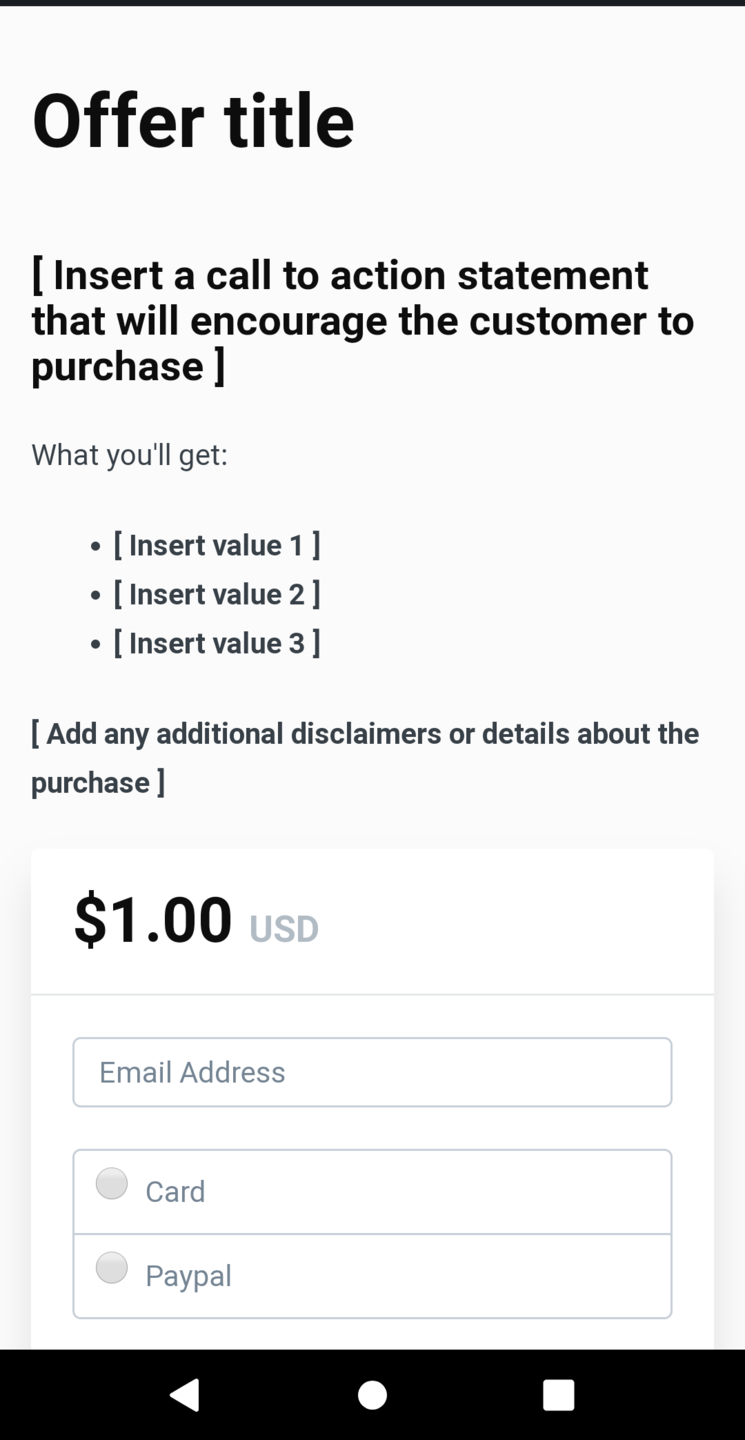
Changing the Mobile Layout of Checkout pages
For the issue of having the checkout form display first when viewing the checkout page using a mobile device.
Created: July 24, 2020
What you need:
Here's the code that you can use:
. <script>
$("div.checkout-content-left").insertAfter("div.col-md-6");
</script>
To apply it to your checkout pages:
1. Navigate to the Kajabi settings tab
2. Then click on the checkout settings
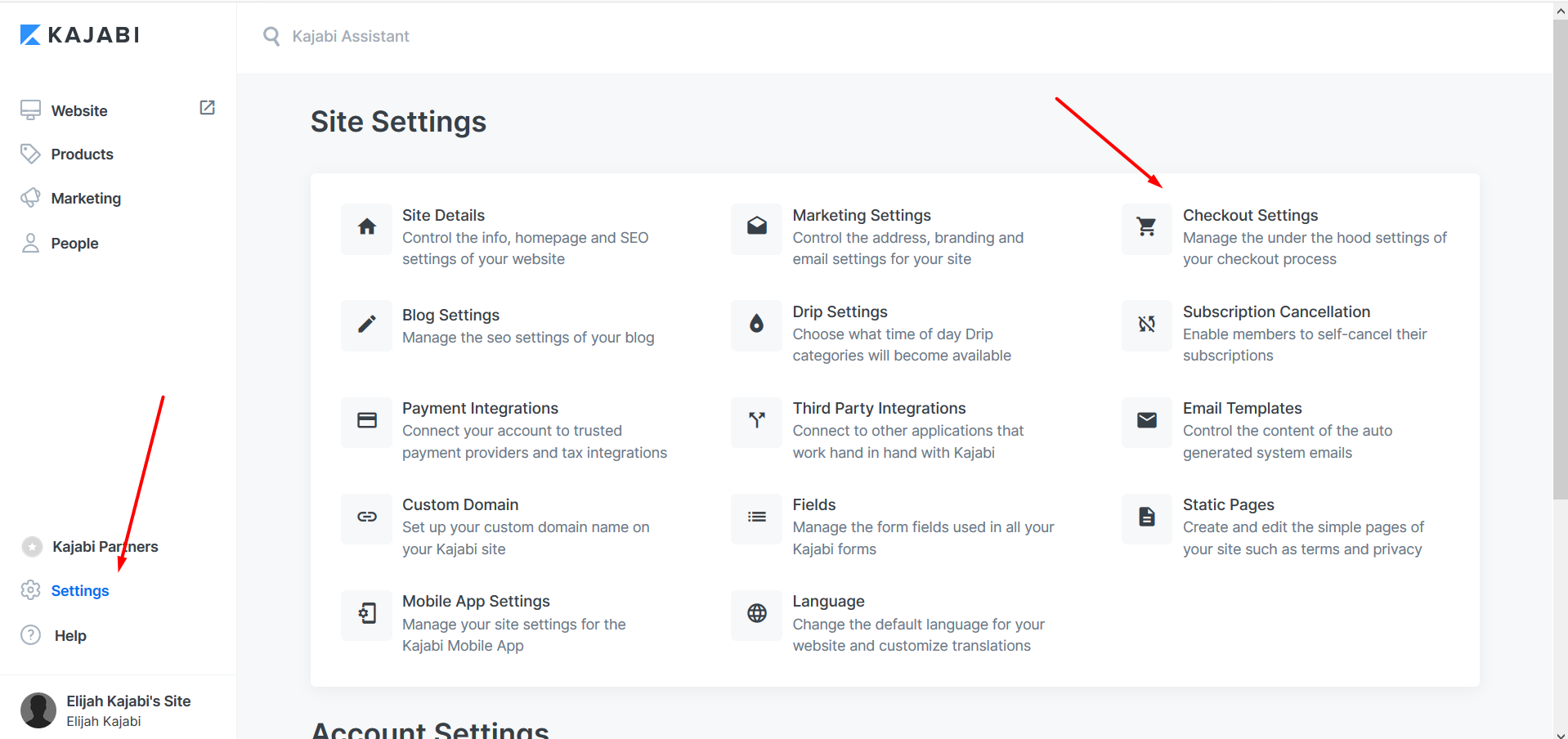
3. From there, just insert the code to the "Footer tracking code" on the Checkout tracking code section
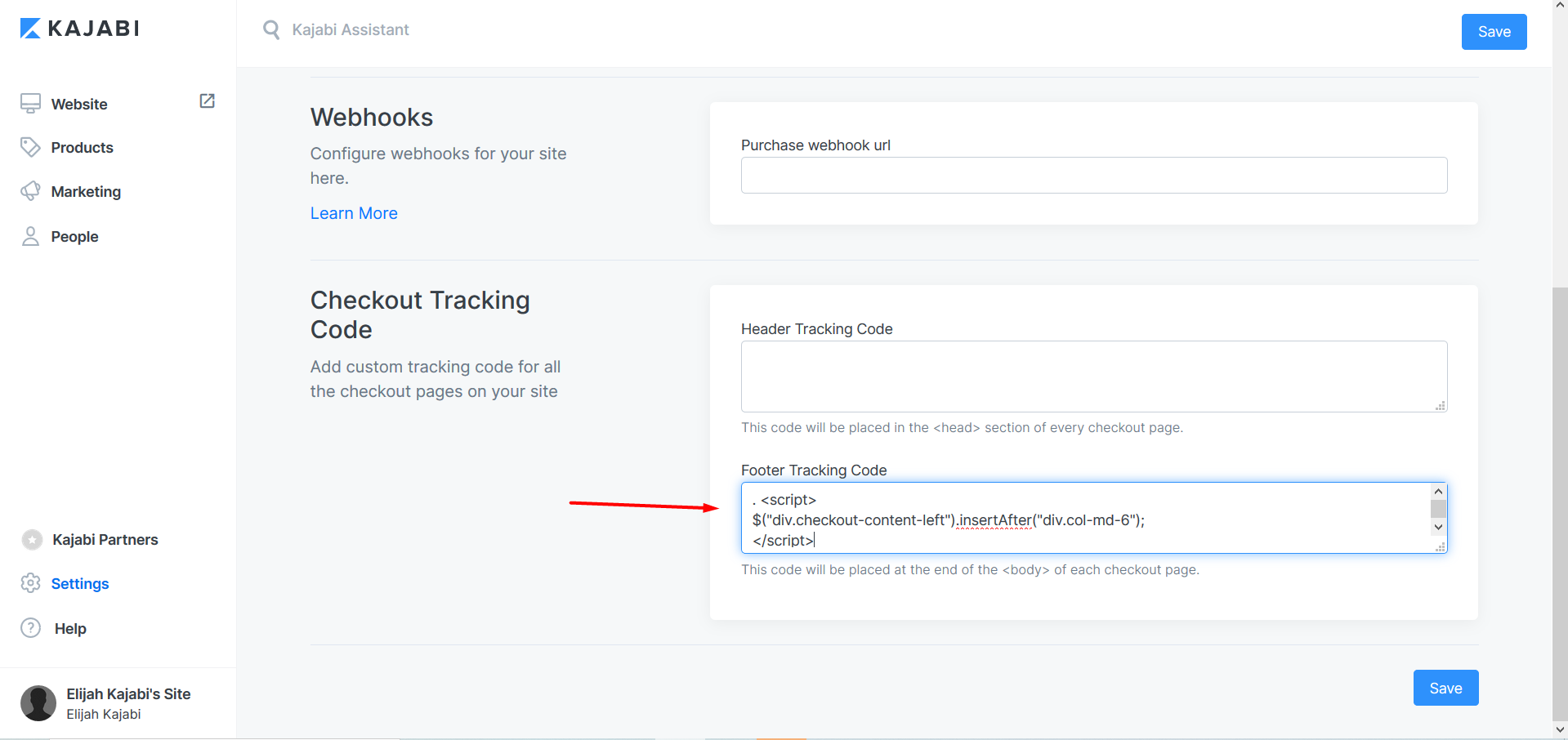
4. Don't forget to hit save!
All done!
Note: This change will affect every offer that you have on your Kajabi site.
To help illustrate this, here's an example of the checkout page after applying the code: