How to disable video playbar for Kajabi Premier pages.
This is a guide on how to disable the player controls on a video block for the Premier themed pages. These configurations are readily available for Encore themed pages, which is the current latest theme available for landing pages.
Note: this guide requires code editor access, which is commonly enabled for the Pro plan.
For reference:
Note: if there is a need for certain controls of the video player to be enabled, it's possible to do so by altering the code. Simply change the "false" text to "true" for the relevant control.
Page Section: Video
A video section that has its play-bar settings disabled except for the play-button. Without the play-button, this video section will look like an image.
Here's how:
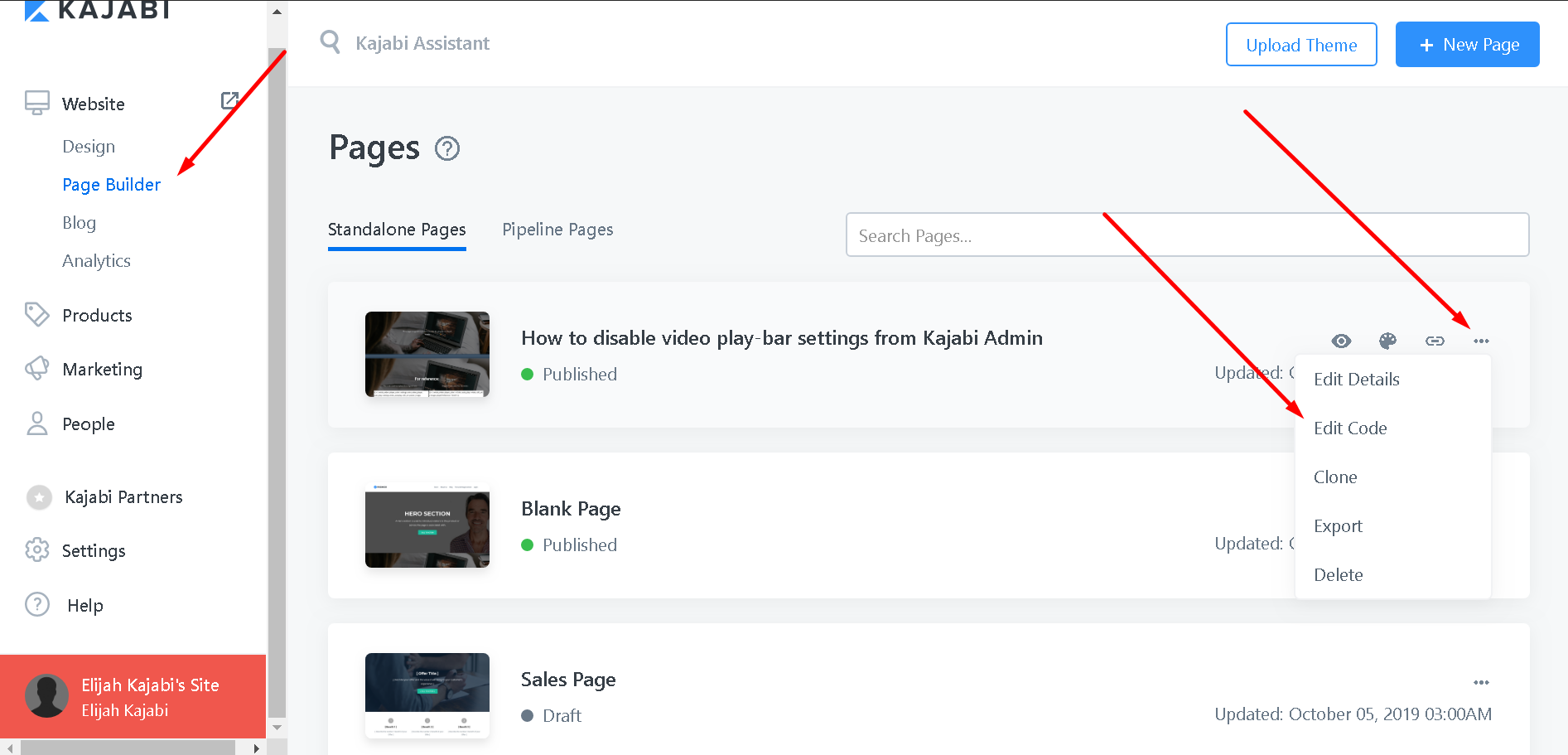
Navigate to the page builder tab, and click the 3 dot icon of the page you want to work on
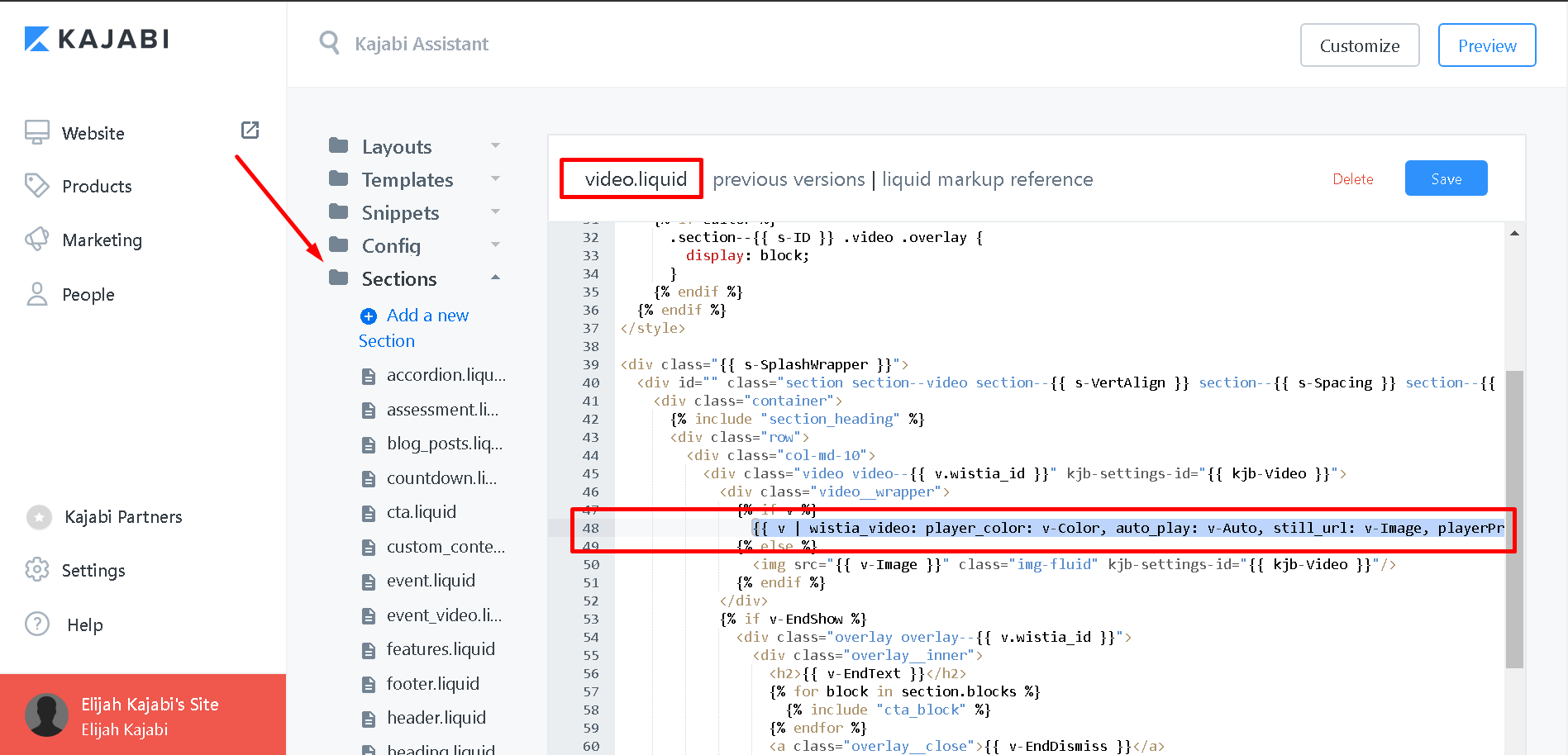
Sort through the Sections folder, and look for the "video.liquid" file.
Once you see the codes, look for line 48; highlight the line of code; and paste the replacement code mentioned in the page section above.
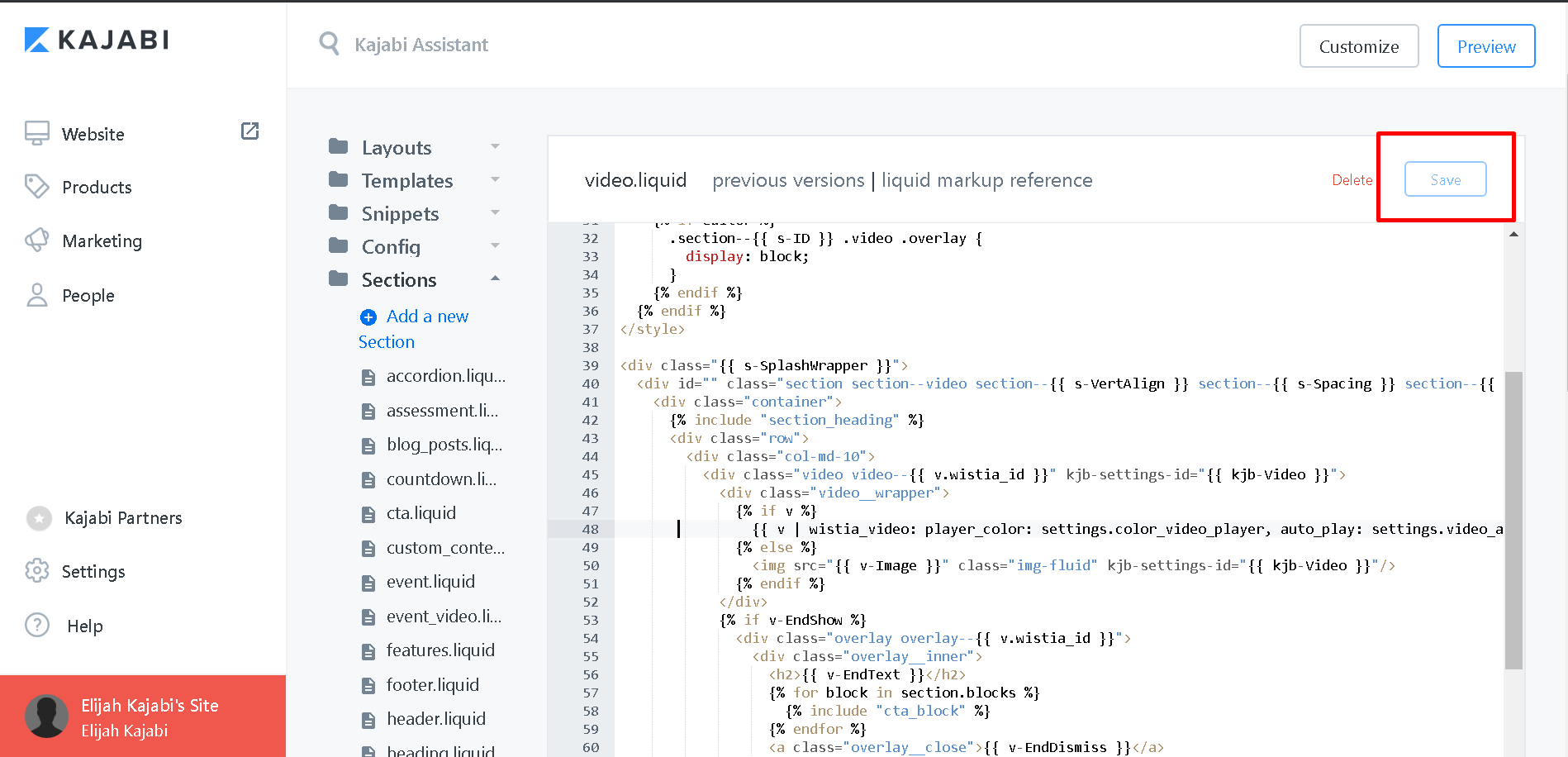
After pasting the code, hit save. Make sure the save button looks hollow, which means that the changes have been save.
Page section: Custom Content
The Code also works for videos using the page section "Custom content" video blocks.
Apply the code on the snippets folder -> custom_video.liquid file -> line 26.