Google Fonts Documentation: Tutorial
Before we get started:
Reference: How to use Google Fonts on your Page
Note:
- Using too much custom fonts on a page can affect the page's loading speed.
- Unlike uploading custom fonts, this does not require access to the theme's internal code
- Google fonts page: https://fonts.google.com/
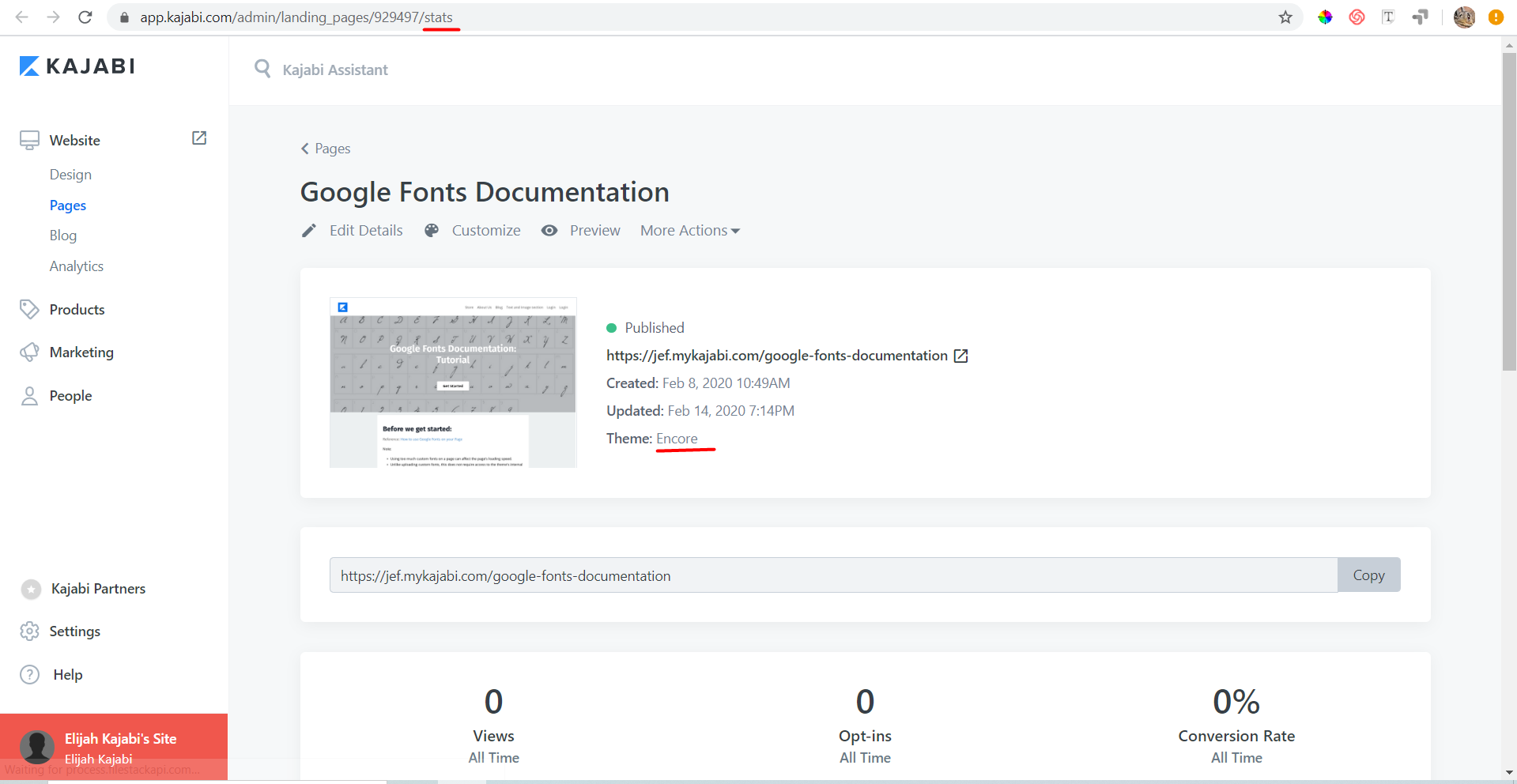
- This guide would be intended for Encore themed pages
Quick Guide:
- Select the fonts that will be used
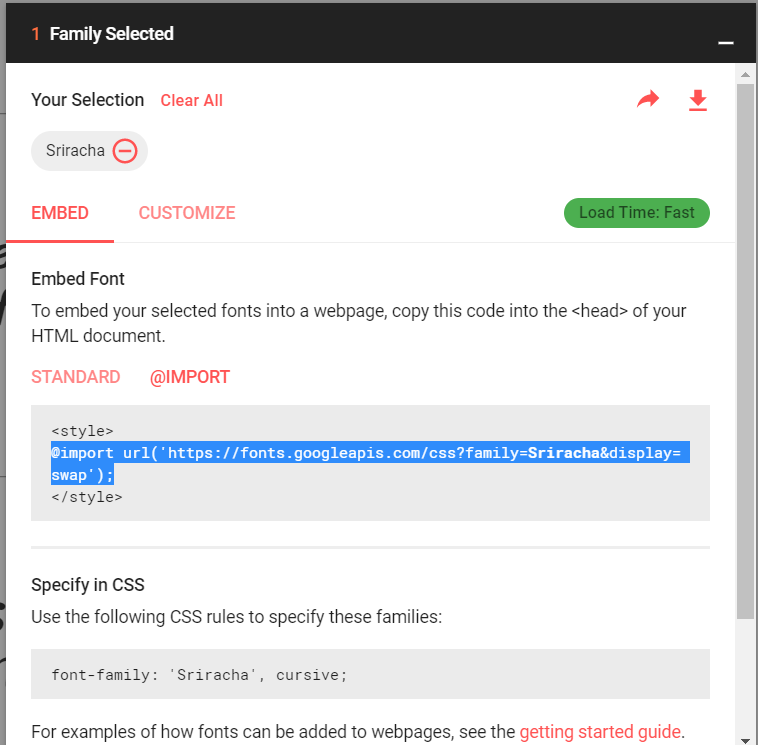
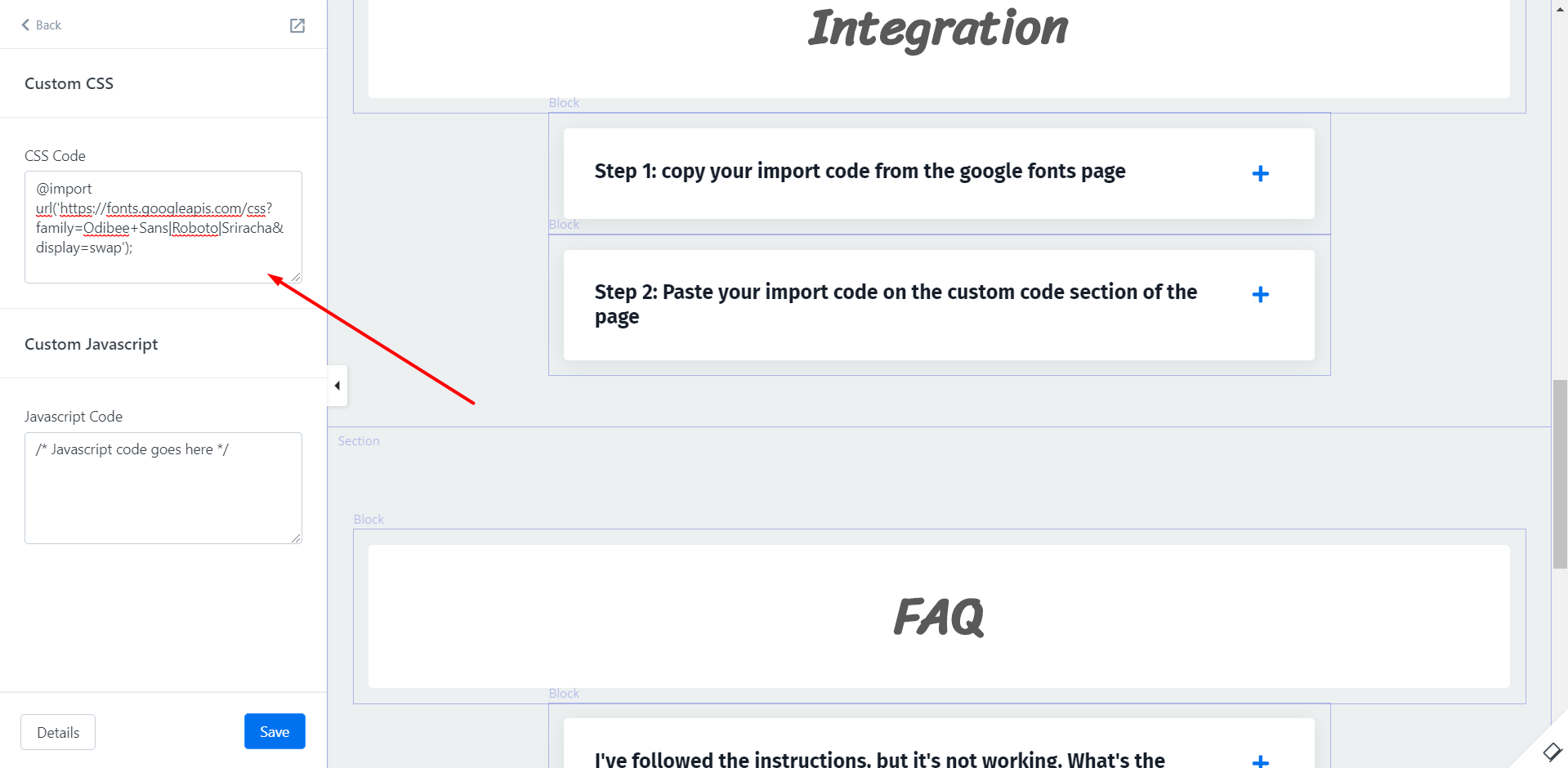
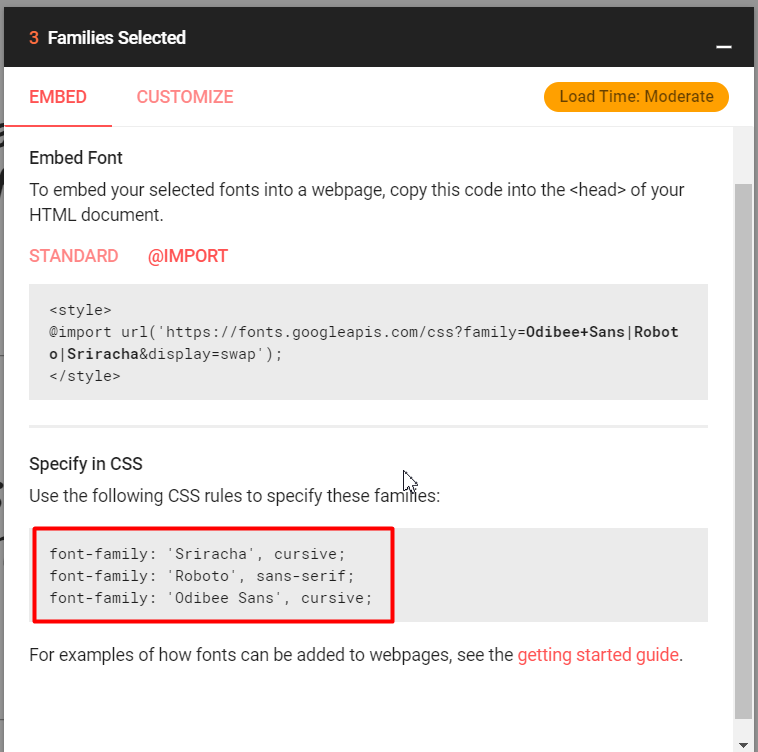
- Copy the import code from the google font family selection
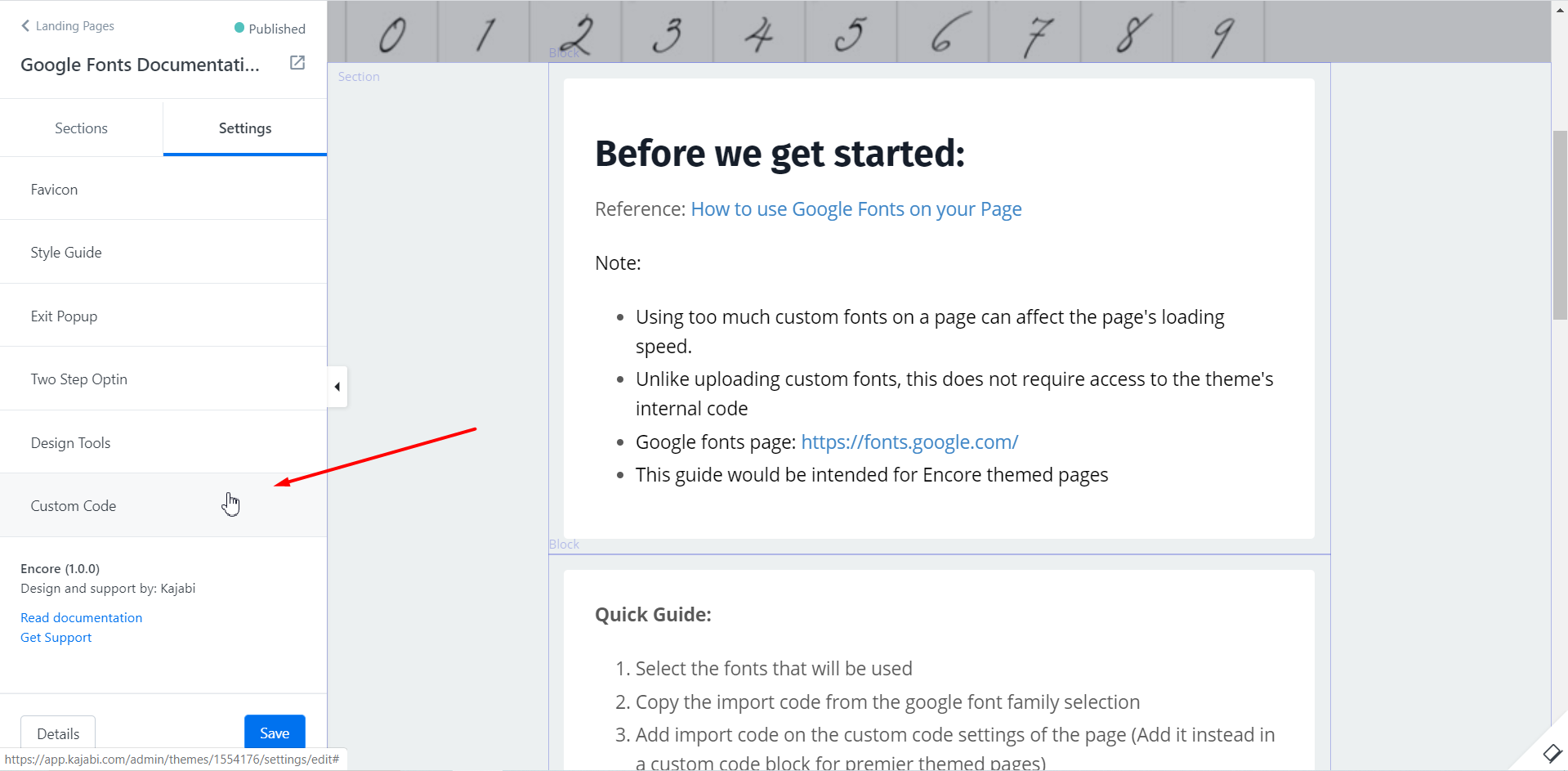
- Add import code on the custom code settings of the page (Add it instead in a custom code block for premier themed pages)
- Copy the CSS rule from the google font font family selection tab
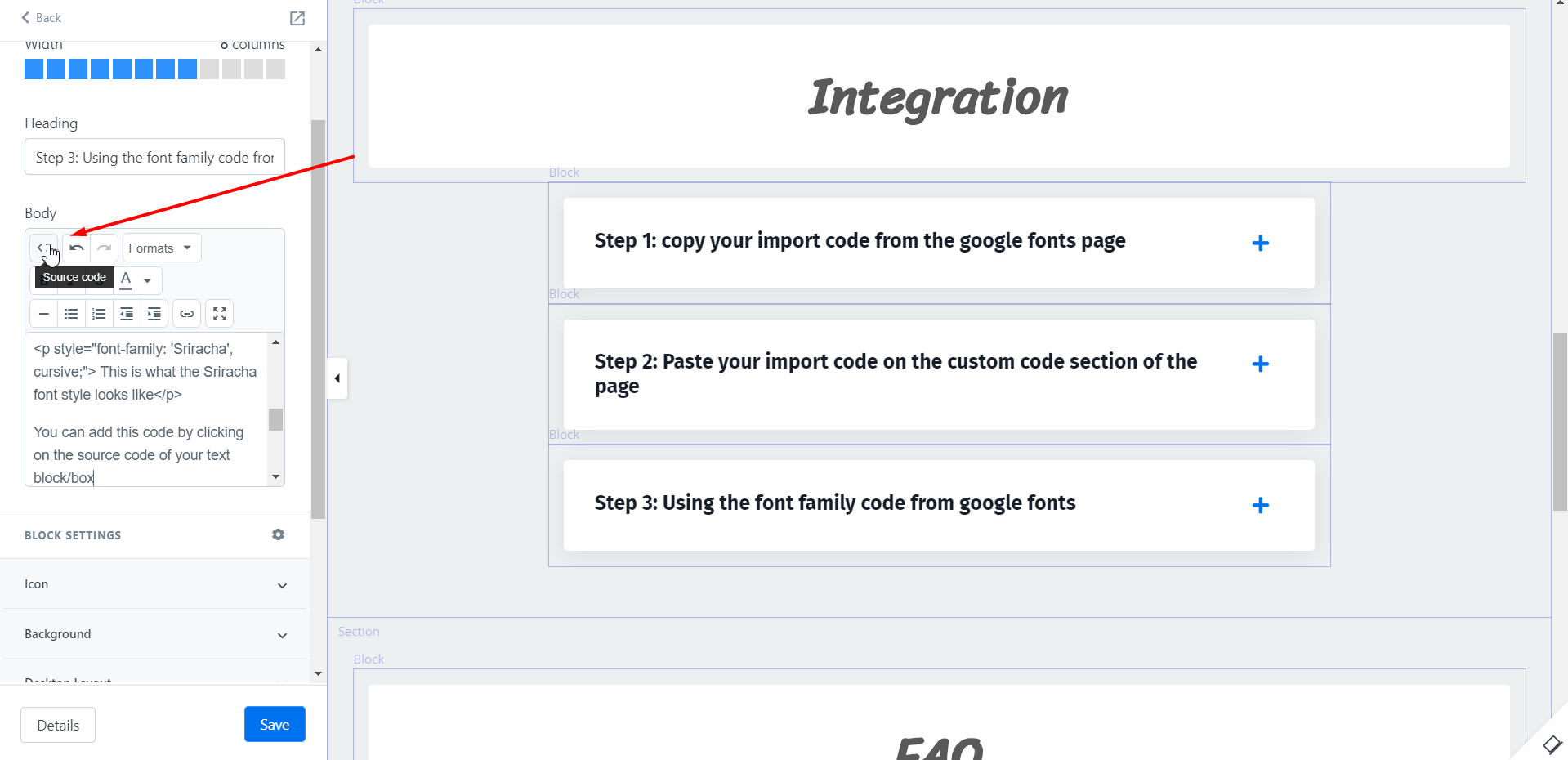
- Use the CSS rule on the source code of the text block
Integration
Step 1: copy your import code from the google fonts page
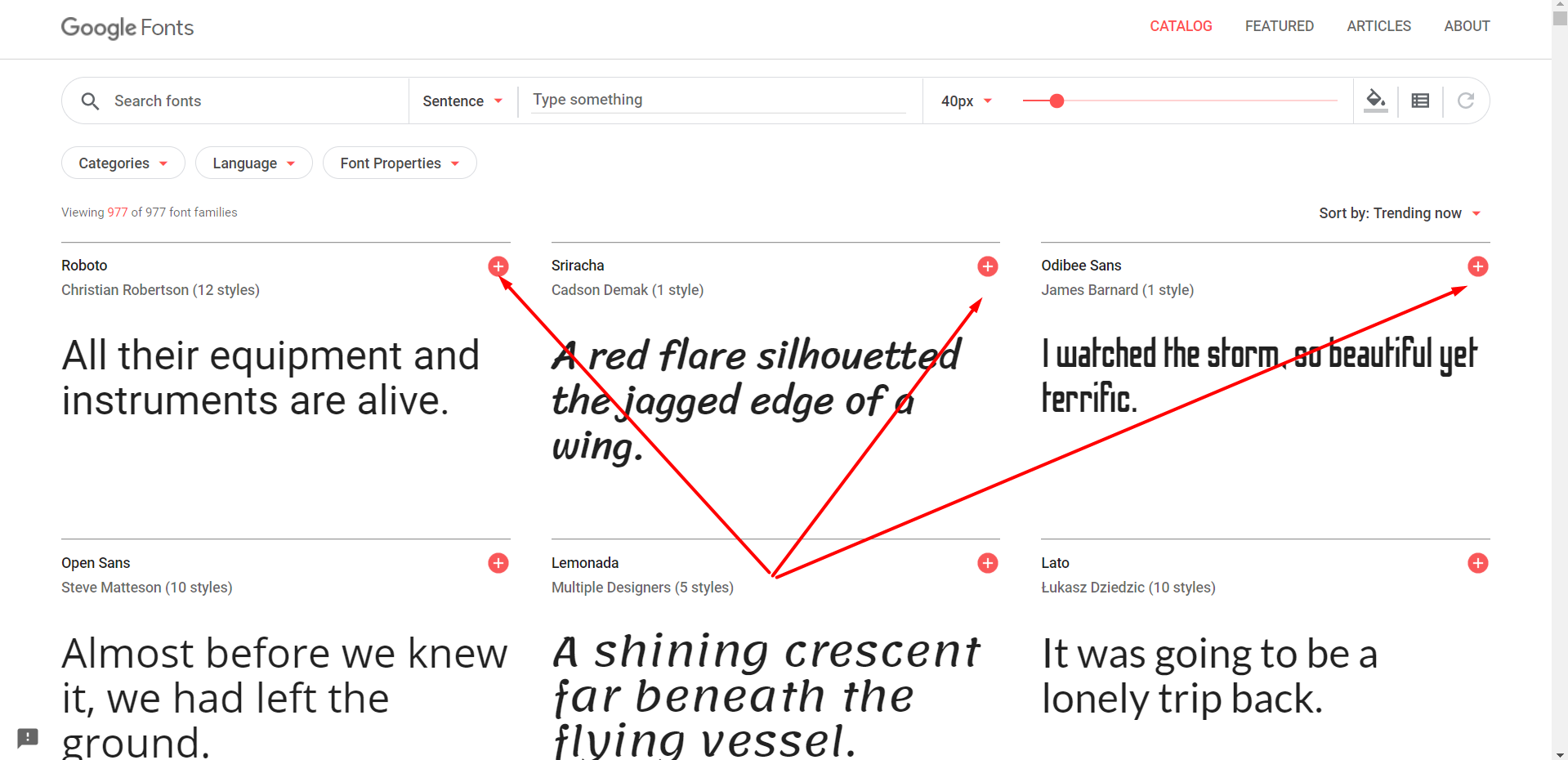
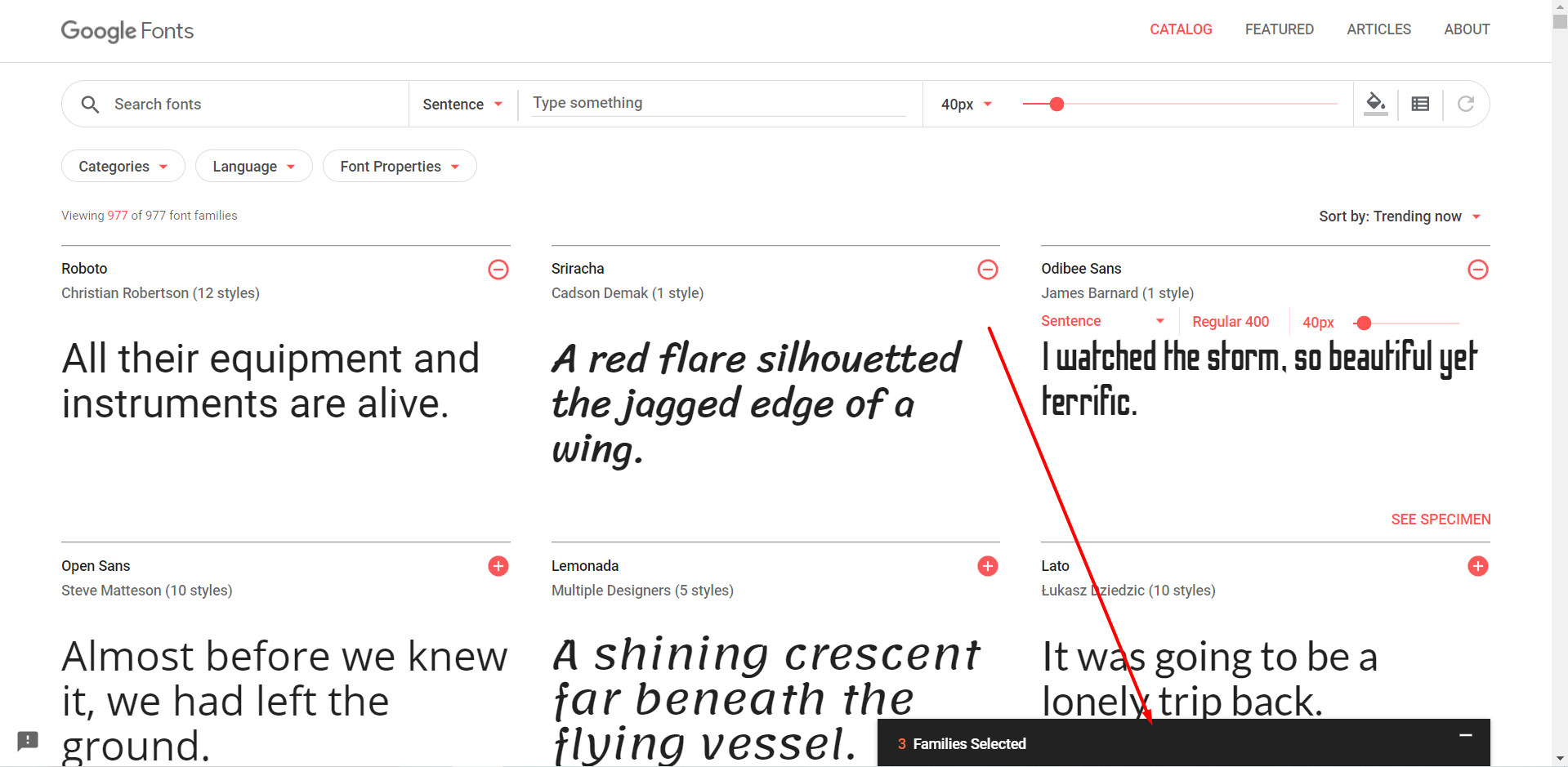
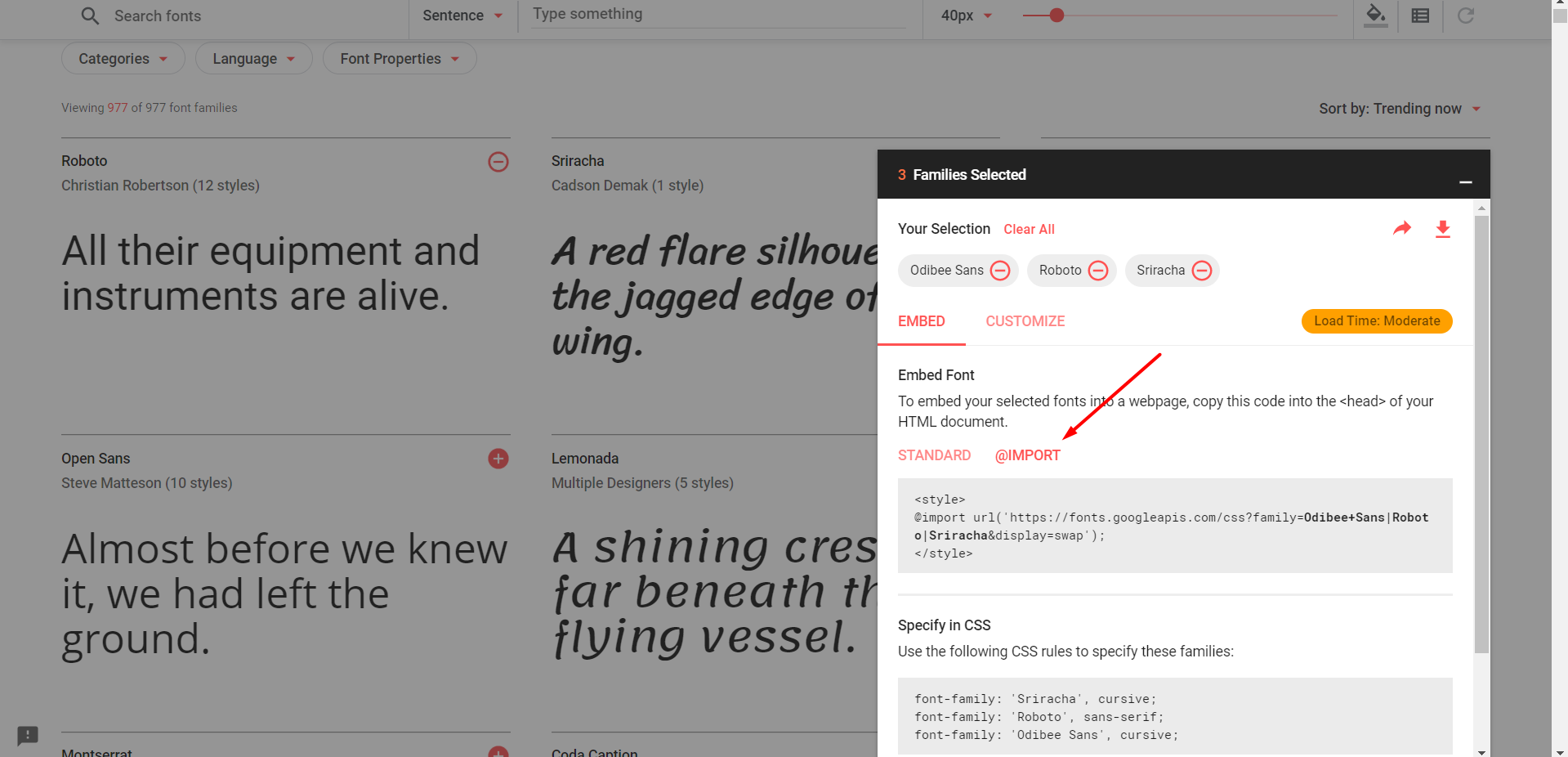
Step 2: Paste your import code on the custom code section of the page
Step 3: Using the font family code from google fonts
 Examples:
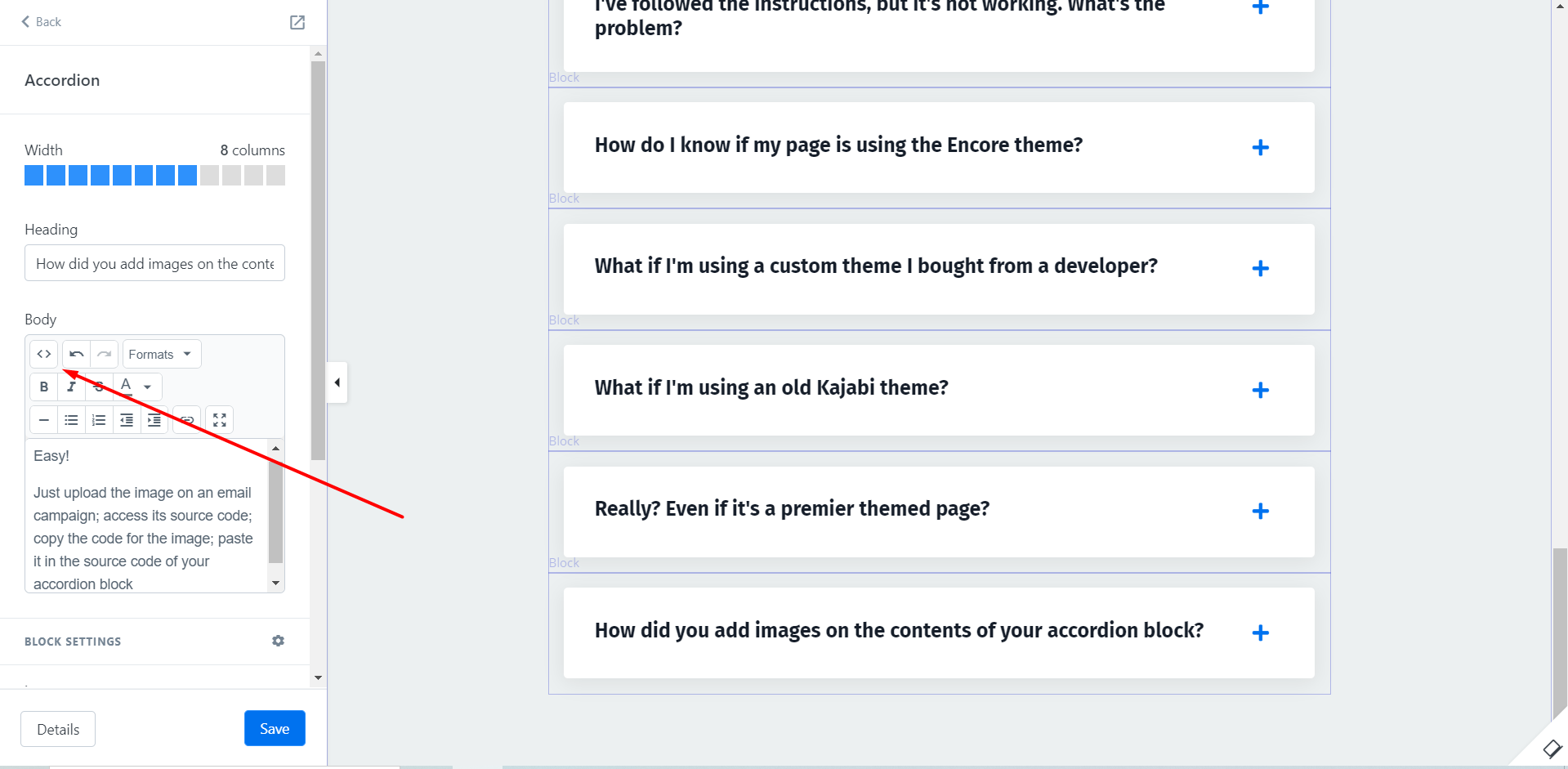
 FAQ